 Lyric Player
Lyrics that light up, word by word.
Synced lyrics for the songs you play, the way Apple Music shows them: your own music, or whatever’s playing in Spotify and Apple Music on your PC.
What it does
Play a song in Spotify or Apple Music and its cover and synced lyrics show up in Lyric Player, in time.
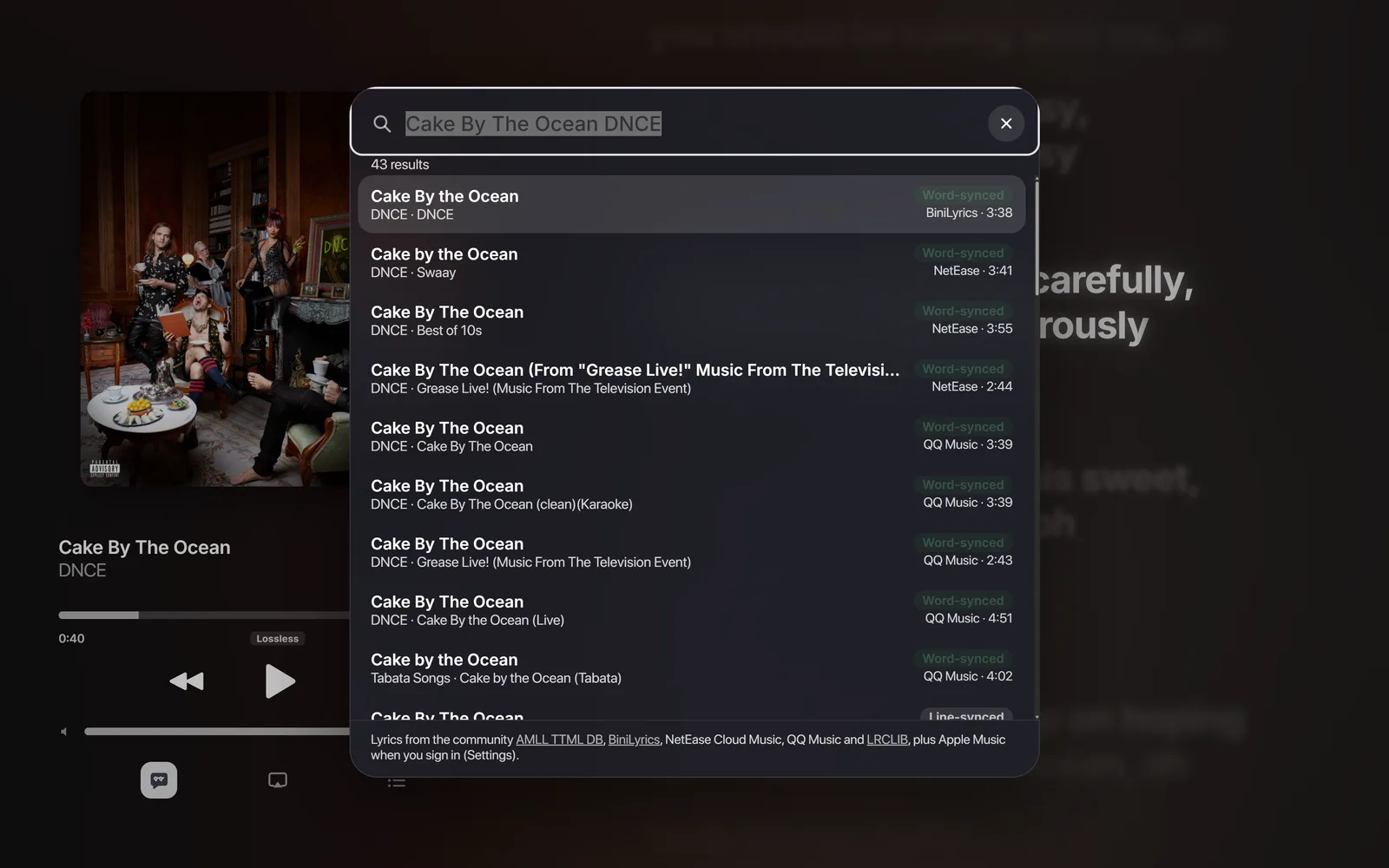
It finds the lyrics for you
It searches AMLL TTML DB, BiniLyrics, NetEase, QQ Music and LRCLIB, plus Apple Music when you sign in, and picks the version that matches your song: same title and artist, same length, word-synced when it exists.
Not the right one? Press / and pick another.
The cover moves. The lyrics stay.
When an album has a moving cover on Apple Music, Lyric Player plays it. In a wide window the tall version can fill one side while the lyrics run on the other, like Apple Music on iPad.
Apple Music Mode
One key turns the window into a portrait player like the iPhone’s lyrics view. Hide the lyrics for the Now Playing screen, where an album’s tall animated cover fills the top.
Also in Lyric Player
- Translations and romanizationRead Japanese and Korean lyrics in Latin letters, and translate lyrics that have no translation.
- AutoMix and a 10-band equalizerYour own songs blend on the beat, like Apple Music.
- Floating lyricsThe line being sung, over your other windows.
- Lyric cards and clipsShare a few lines as an image or a short video.
- Discord and Last.fmShow what’s playing on your profile, and scrobble.
- Phone remoteControl the music from your phone over your Wi-Fi.
Read the docs for how each one works.
Download
The app updates itself after you install it, so you only download it once.
Windows This computer
Windows 10 or 11, 64-bit
Windows says “Windows protected your PC”?
The app isn’t signed with a paid certificate yet, so SmartScreen doesn’t know it. Click More info, then Run anyway. You only do this once.Mac This computer
The Mac version isn’t ready to download yet. Until then, open Lyric Player in your browser.
First time opening it on a Mac
The app isn’t from the App Store or notarized by Apple yet, so macOS asks before opening it:- Open the .dmg and drag Lyric Player to Applications.
- Open it. When macOS says it can’t check it, open System Settings › Privacy & Security, scroll down and click Open Anyway.
- If it says the app “is damaged”, run this once in Terminal, then open it again:
xattr -cr "/Applications/Lyric Player.app" - To follow Spotify or Apple Music, allow it when macOS asks if Lyric Player may control them.
What’s new
The app gets these on its own.
Loading the latest versions…